If you’d like to grab the QQH Z80A for yourself, CLICK HERE to check current pricing.
QQH Z80A Review (2026) – Is This the Best Portable Triple Monitor for Working On the Go?
Working off a single laptop screen has always been the biggest bottleneck for anyone trying to get real work done outside the office. In 2026, portable monitor extenders have exploded in popularity, and one of the standouts we keep seeing recommended is the QQH Z80A Triple Portable Monitor.
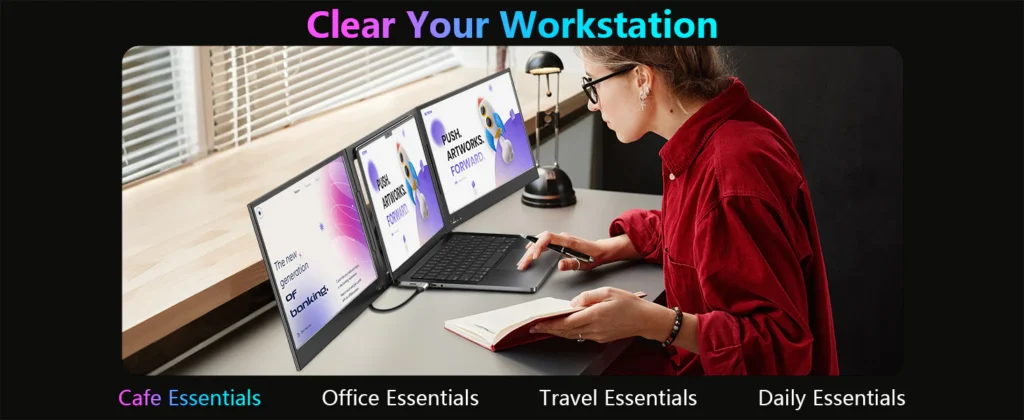
Unlike the flimsy clip-on extenders that grip directly onto your laptop lid, the Z80A takes a different approach — a free-standing dual-panel unit built from CNC-cut aluminum alloy that sits behind your laptop and turns your single screen into a full three-screen workstation.
In this review, we’re breaking down the build quality, setup process, real-world performance, and whether the price tag is actually worth it in 2026.
🖥️ QQH Z80A Overview
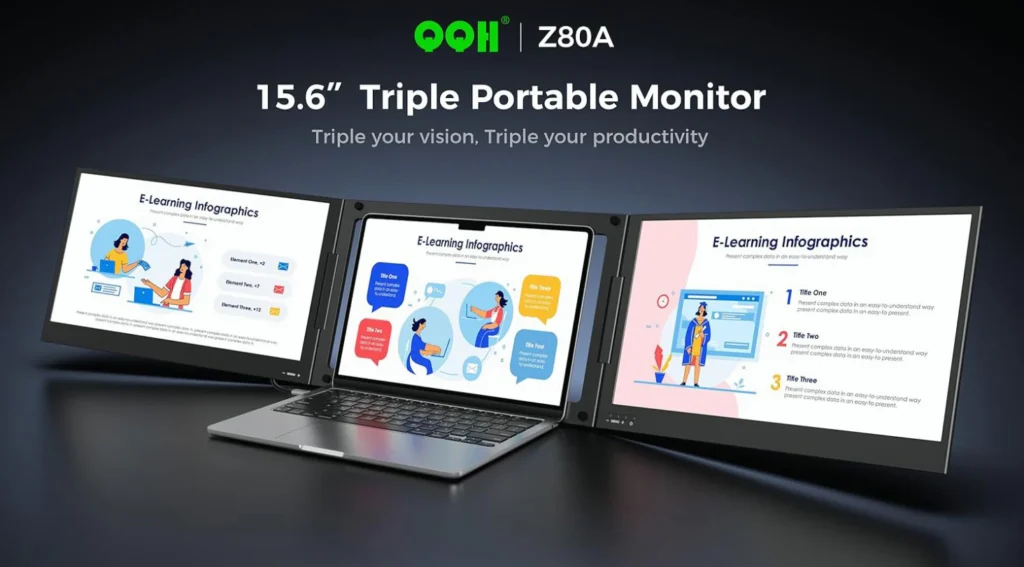
The QQH Z80A is a 15.6″ dual-panel laptop screen extender that adds two additional Full HD IPS displays to any compatible 12–16 inch laptop, turning it into a three-screen setup (your laptop screen + two Z80A panels).
Where most portable monitor extenders use plastic clip mounts that hook onto your laptop’s screen, the Z80A instead uses its own free-standing aluminum alloy frame that sits safely behind your laptop — so there’s no clip pressure or scratching risk on your actual laptop display.
Check Current QQH Z80A Pricing
🔧 Specs at a Glance
| Feature | Specification |
|---|---|
| Panel Size | 2x 15.6″ IPS displays |
| Resolution | 1920 x 1080 (FHD) |
| Viewing Angle | 178° |
| Brightness | 300 nits |
| Contrast Ratio | 1200:1 |
| Panel Thickness | ~0.15 inches |
| Rotation | 360° per screen, 90° adjustable stand |
| Frame Material | CNC-cut aluminum alloy |
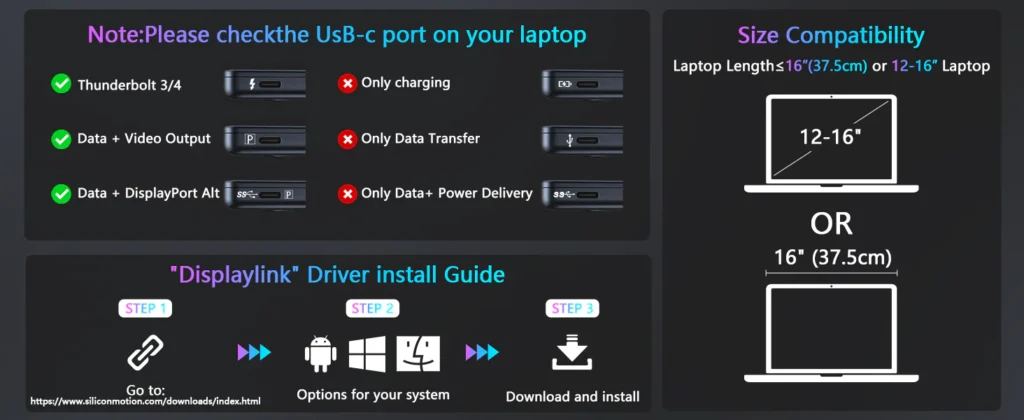
| Connection | USB-C or USB-A (driver required) |
| Compatibility | Windows, macOS (M1–M4), ChromeOS, Android |
| Laptop Fit | 12″ – 16″ laptops |
The Z80A’s biggest hardware advantage over the sea of similar-looking extenders on Amazon is the aluminum alloy build. Most competitors in this price range still lean on plastic housings, and it shows the moment you start folding and unfolding the panels daily.
📦 What’s Included in the Box
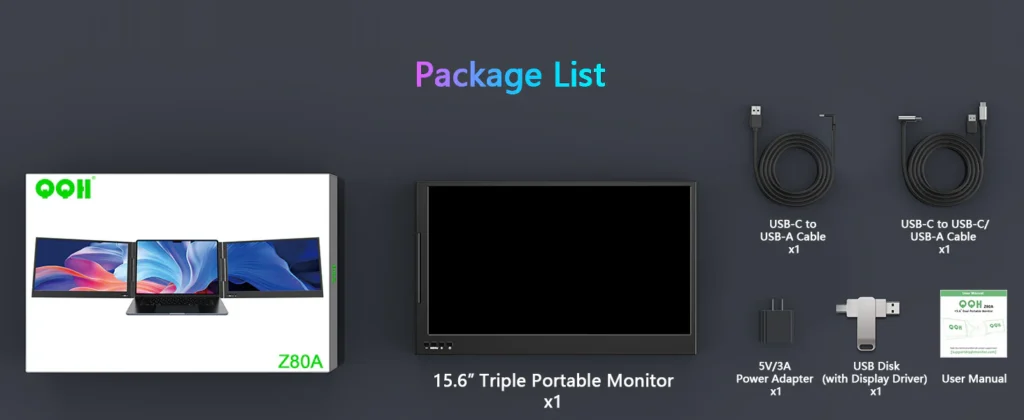
- QQH Z80A dual-panel unit
- USB-C connection cable
- USB-A adapter cable
- 5V/3A power adapter
- Driver installation USB stick
- User manual
Unlike a plug-and-play USB monitor, the Z80A requires you to install a driver from the included USB stick before the second and third displays will function correctly. It only takes a couple of minutes, but it’s a step you don’t want to skip.
⚙️ Setup & Connectivity
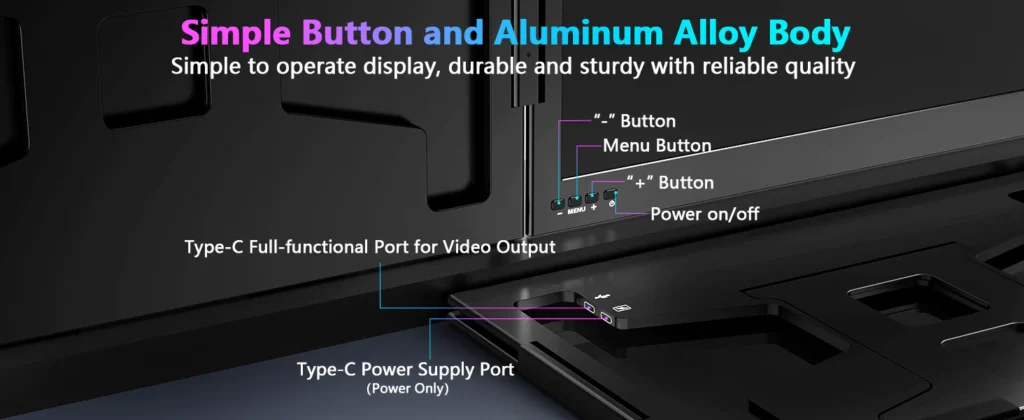
Setup is straightforward once you know the layout, but there’s one detail that trips up a lot of first-time buyers: the unit has two USB-C ports — an upper port and a lower port. Only the upper port is full-function and handles both video and power. The lower port is power delivery only. Plugging into the wrong one is the #1 reason people think their unit is “broken” out of the box.
A few setup notes worth keeping in mind:
- You’ll need a full-featured USB-C port and cable on your laptop — not all USB-C ports carry a video signal.
- Once the driver is installed, the Z80A supports extended, mirrored, presentation, and second-screen modes.
- Each panel has its own physical buttons for brightness, contrast, and color temperature, with built-in memory so your settings stick between sessions.
- Important: Laptops with restricted software installs (many corporate/work laptops) will block the driver, so a personal laptop is recommended for the smoothest setup.
🖼️ Real-World Use
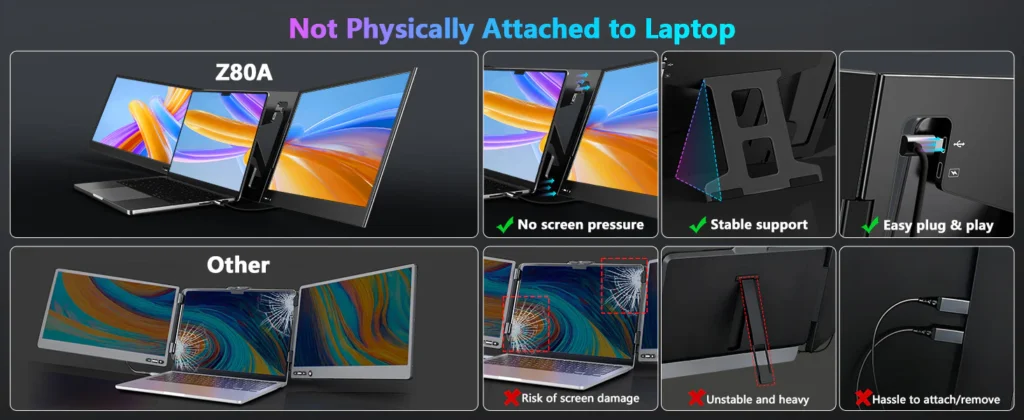
For everyday multitasking, the Z80A holds up well. The IPS panels produce accurate color and wide 178° viewing angles, and at 300 nits, brightness is comfortable for indoor work — though like most portable monitors, it’s not built to fight direct sunlight.
Where the Z80A really separates itself is the 360° rotation on each panel. Being able to spin a screen around to show a coworker or client something mid-conversation is a small feature that ends up getting used constantly once you have it.

The aluminum stand system also folds flat enough to travel with the rest of your laptop bag. It does add noticeable weight and thickness compared to carrying just your laptop, so this is a tool built for people who genuinely need the extra screen space — not an ultralight minimalist accessory.
📊 How It Compares
| Device | Build | Setup | Best For |
|---|---|---|---|
| Typical Clip-On Extender | Plastic, clips onto laptop lid | Often plug-and-play | Budget/basic use |
| QQH Z80A | CNC aluminum alloy, free-standing | Driver install required | Daily multitaskers & travelers |
| Single External Monitor | Rigid, not portable | Plug-and-play | Fixed desk setups only |
👍 Pros & 👎 Cons
Pros
- Sturdy CNC-cut aluminum alloy frame
- Doesn’t clip onto or stress your laptop’s actual screen
- Strong IPS panel quality for the price point
- 360° screen rotation is genuinely useful, not a gimmick
- Built-in memory retains brightness/contrast/color settings
- Broad compatibility: Windows, macOS, ChromeOS, Android
Cons
- Requires driver installation — not true plug-and-play
- Won’t work on locked-down corporate laptops
- Must use the upper USB-C port for video (easy to mix up with the lower port)
- Adds real bulk and weight to a travel bag
- Only fits 12″–16″ laptops
👤 Who the QQH Z80A Is Best For
The Z80A makes the most sense for:
- Remote workers and consultants who travel frequently
- Developers, traders, and analysts who rely on multi-window workflows
- Anyone doing client presentations on the go
- Users on personal laptops who can freely install drivers
If you’re on a heavily restricted work laptop, or you want a true zero-setup plug-and-play monitor, this may not be the right fit — but for personal devices, it’s one of the more solidly built options in its category.
🏁 Final Verdict
The QQH Z80A earns its spot as one of the better-built portable triple monitor setups available in 2026. The aluminum alloy construction, 360° rotating panels, and solid IPS picture quality put it ahead of the plastic clip-on extenders that dominate this category, and the free-standing design means your actual laptop screen stays protected.
The driver installation requirement and the upper/lower USB-C port mix-up are the two things to be aware of before buying, but neither is a dealbreaker once you know what to expect.
If multi-screen productivity is a real part of your workflow — whether at home, in a hotel room, or at a client site.
Check Current QQH Z80A Availability
Product images courtesy of qqhmonitor