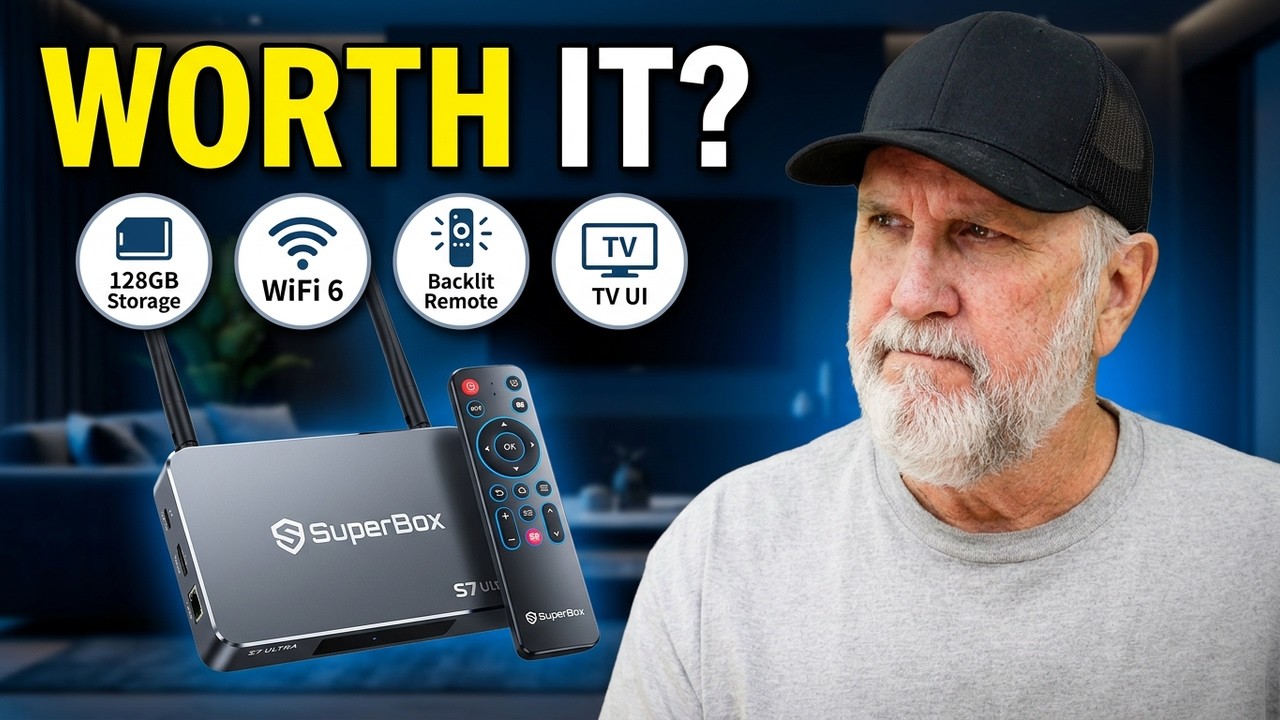
Superbox and VC Box Malware: What You Need to Know Before Streaming
Are your favorite streaming boxes putting your home network at risk? Here’s what cord-cutters need to know about malware warnings, privacy concerns, and how to protect your devices.
Streaming devices have changed the way we watch TV. Instead of paying expensive cable bills, many people are turning to Android TV boxes that promise thousands of live channels, movies, sports, and on-demand entertainment for a one-time purchase.
But there is a growing concern that deserves your attention: streaming device security.
Reports published by cybersecurity researchers have raised serious questions about certain SuperBox devices, unofficial streaming applications, and the possibility of devices being used to route third-party internet traffic without the owner’s knowledge.
If you own a SuperBox, VC Box, or another Android-based streaming device, don’t panic. However, you should understand the potential risks, know what warning signs to look for, and take steps to protect your home network.
Let’s break down what you need to know.
What Is the SuperBox and VC Box Malware Concern?
The concern isn’t simply whether a streaming box can play movies or television channels. It’s whether the software running in the background is doing things you never agreed to.
In May 2026, cybersecurity company Plume published research describing a hidden proxy-network capability found in the SuperBox devices and software configurations it investigated. The research raised concerns that third parties could route internet traffic through customers’ home broadband connections without their knowledge.
Additional reporting by security researchers has highlighted risks associated with unofficial Android TV firmware, unverified applications, and devices that lack strong security protections.
You can read the original reports here:
- Plume Security Labs: SuperBox security investigation
- Krebs on Security: Is Your Android TV Streaming Box Part of a Botnet?
Important: These reports do not establish that every SuperBox is infected, and they should not automatically be applied to every VC Box or similarly named product. The exact model, firmware, installed applications, and configuration matter.
How Can a Streaming Box Become a Security Risk?
Most people expect a streaming box to do three things: connect to the internet, open an application, and play video on their television.
Unfortunately, a device running modified Android software can potentially do much more.
Here are some of the main risks.
1. Hidden Applications and Background Activity
Some Android streaming devices rely on applications distributed through private app stores or unofficial download links instead of established app marketplaces.
The problem is that applications obtained outside trusted distribution channels may not receive the same security screening users expect from reputable platforms.
An application might work perfectly well for watching television while also performing unwanted activities in the background.
Depending on the software and permissions involved, those activities could include collecting information, communicating with unfamiliar servers, or routing network traffic.
This doesn’t mean every unofficial streaming app contains malware. It means users have fewer reliable ways to verify what the application is doing.
2. Your Internet Connection Could Be Used by Someone Else
One of the most concerning findings in the SuperBox reporting involves residential proxy networks.
A proxy allows internet traffic to pass through an intermediary connection. Residential proxy services use ordinary household internet connections as part of that process.
When a device participates in such a network without the owner’s informed consent, other people may be able to make their online activity appear to originate from the household’s internet connection.
Why does that matter?
- Your available upload bandwidth could be consumed by traffic you didn’t initiate.
- Your internet connection could be associated with activity you know nothing about.
- Your home network could face additional security exposure.
- You may have limited visibility into who is using the connection and why.
The issue is not that every proxy is malicious. Legitimate proxy services exist. The concern is unauthorized participation and the possibility that third parties could abuse the connection.
3. Malware Can Be Difficult to Remove
Malware installed as an ordinary application can sometimes be removed by uninstalling the app.
Firmware-level malware is a different problem.
Firmware is the low-level software that helps a device start and operate. If malicious code is embedded in the firmware, deleting an application or performing a factory reset might not remove it.
This is why the source of the device, the integrity of its software, and the availability of trustworthy security updates are so important.
A factory reset should not be treated as proof that a device is clean.
What Are the Warning Signs to Watch For?
A compromised streaming box doesn’t necessarily display a warning on your television. It may continue working normally while performing other activities in the background.
Still, there are a few warning signs worth investigating.
Unexplained internet slowdowns: If your connection becomes unusually slow when the streaming box is connected, disconnect the device and see whether performance improves.
Unexpected upload activity: Many households download far more data than they upload. Unusually high upload traffic that continues when you aren’t streaming deserves investigation.
Unfamiliar applications: Check the installed apps for software you don’t recognize, especially applications that appeared after installing an unofficial streaming service.
Unusual network behavior: Your router or internet provider may report unexpected traffic, repeated connections, or excessive data usage.
Missing security updates: A device that hasn’t received trustworthy updates for a long time may have vulnerabilities that are no longer being addressed.
Keep in mind that none of these symptoms proves malware is present. Buffering, for example, can result from ordinary Wi-Fi interference, an overloaded internet connection, or problems with a streaming service.
The goal is to identify unusual behavior rather than assume the worst.
What Should You Do If You Own a SuperBox or VC Box?
If you already have one of these devices, there are practical steps you can take.
Step 1: Disconnect the Device if You Suspect a Problem
If your device is behaving suspiciously, or you are concerned about the security reports, disconnect it from Wi-Fi or unplug its Ethernet cable.
You can also power it off.
This prevents it from continuing to communicate over your home network while you investigate.
Step 2: Check Your Router’s Connected Devices
Sign in to your router’s administration interface or use your internet provider’s app, if available.
Look for the streaming box and review any available information about its data usage and network activity.
If your provider offers security alerts or network monitoring, check those as well.
You may not be able to identify malicious traffic from a basic router dashboard, but unusual upload activity can help you decide whether further investigation is necessary.
Step 3: Review the Installed Applications
Look for unfamiliar applications, especially those installed from unofficial stores or third-party download links.
Avoid installing additional APK files from unknown websites in an attempt to fix the problem. Doing so could introduce further risks.
If a specific application has been identified in a security report, check whether that report applies to your device and the version you have installed.
Step 4: Check for Official Security Updates
Check whether the manufacturer provides a documented update process and whether your exact model is still supported.
Be cautious about downloading firmware from random websites or following instructions from anonymous online sources.
An update is only helpful if it comes from a trustworthy source and addresses the relevant security issue.
If researchers have identified a device-level vulnerability or a persistent compromise, ask the manufacturer or your internet provider for specific guidance.
Step 5: Consider Replacing a Device You Cannot Trust
If credible research identifies serious security weaknesses in your particular device or software configuration, and there is no verified fix, replacement may be the safest option.
A factory reset is not a guaranteed solution for firmware-level malware.
If you suspect the box has been involved in unauthorized network activity, also consider reviewing router security, changing important passwords from a trusted device when appropriate, and enabling multifactor authentication on your accounts.
Are All Android TV Boxes Dangerous?
No.
It would be misleading to suggest that every Android TV box, every SuperBox model, or every unofficial streaming application is infected with malware.
There are legitimate streaming devices from established manufacturers that receive regular security updates and support reputable applications.
The more useful question is whether a particular device has trustworthy software, appropriate security protections, and a reliable update process.
When choosing a streaming device, look for:
- A manufacturer with a clear support history.
- Regular, documented security updates.
- Reputable application distribution channels.
- Transparent privacy practices.
- No requirement to disable important security protections just to make the device work.
- Support for legitimate streaming services.
Devices such as certified Google TV streamers, Amazon Fire TV devices, and other established streaming platforms can be sensible alternatives, provided you keep their software updated and install applications from trusted sources.
Remember that no streaming device is completely immune to security threats.
What About Your Personal Information?
A streaming box is connected to your home network, so its security matters beyond the television.
The actual information at risk depends on the device’s software, permissions, network access, and any vulnerabilities present.
A compromised device could potentially expose information about your network activity or provide a route for unauthorized access to other systems. More serious consequences depend on what the malicious software can access and how the home network is configured.
For that reason, avoid using an untrusted streaming box to access sensitive accounts, and don’t assume that connecting it to a television makes it harmless.
If your router supports a separate guest network or an isolated network for smart devices, that can reduce some exposure. However, network separation is not a complete fix for a device that is intentionally routing third-party traffic.
The best protection is to use hardware and software you can trust.
Is It Time to Stop Using Your Streaming Box?
That decision depends on the specific device and the evidence available.
If your box is covered by credible security findings and the manufacturer cannot demonstrate that the problem has been addressed, continuing to use it may not be worth the risk.
If you own a different model that has not been implicated in those findings, don’t assume it is infected simply because it looks similar. Verify the exact model, firmware, and applications involved.
And remember that a device’s ability to stream thousands of channels does not tell you whether its software is secure.
A great streaming experience should not come at the expense of your privacy or the security of your home network.
Final Verdict: Convenience Isn’t Worth Compromising Your Security
SuperBox security reports are a reminder that streaming hardware deserves the same scrutiny as any other internet-connected device.
The possibility of hidden proxy activity, untrusted applications, and difficult-to-remove malware is worth taking seriously. At the same time, responsible reporting means distinguishing documented findings from unverified claims about other products and models.
If you own a SuperBox or VC Box, review the available information about your exact device, pay attention to unusual network activity, and avoid installing software from sources you cannot trust.
If a device has serious unresolved security issues, replacing it with a well-supported streaming platform may be the smartest move.
Your turn: Do you currently use a SuperBox, VC Box, Fire TV Stick, or another streaming device? Have you noticed any unusual buffering, internet slowdowns, or security warnings? Share your experience in the comments below.
Stay tuned to CPC Tech Review for more streaming news, technology tips, device reviews, and practical advice to help you get the most out of your home entertainment setup.